Welcome to our community

Be a part of something great, join today!

  • Hey all, just changed over the backend after 15 years I figured time to give it a bit of an update, its probably gonna be a bit weird for most of you and i am sure there is a few bugs to work out but it should kinda work the same as before... hopefully :)

RED V-Raptor vs Alexa 35

Nick Vera

Well-known member
Joined
Sep 26, 2013
Messages
168
Reaction score
34
Points
28
Location
Los Angeles, CA
Did a quick test of both cameras. Point of the test was to see if the RED V-Raptor can be matched with the Alexa 35. I also wanted to see if there was any real world difference in resolution between RED's 8K and Alexa 35's 4.6K You can check it out on the FB RED Raptor Group. I'm kinda slammed and don't have much time to post it here, here's the link to the group to check it out: https://www.facebook.com/groups/reddsmc3users/
 
Good test!

A, D and F are Alexa 35?

I posted on facebook but my reasoning is that on Alexa, in general the image has a kinda green / cyan look... BUT skin tones are magically more neutral.

If you look at subtle colors in her face, and for example her knee you can see that B, C and E have more of a color wash applied over the skin so I'm guessing that was an attempt to emulate Alexa, not actual Alexa. Could be wrong though.

If I'm wrong then you did an excellent job!

Bruce Allen
www.bruceallen.tv
 
Good test!

A, D and F are Alexa 35?

I posted on facebook but my reasoning is that on Alexa, in general the image has a kinda green / cyan look... BUT skin tones are magically more neutral.

If you look at subtle colors in her face, and for example her knee you can see that B, C and E have more of a color wash applied over the skin so I'm guessing that was an attempt to emulate Alexa, not actual Alexa. Could be wrong though.

If I'm wrong then you did an excellent job!

Bruce Allen
www.bruceallen.tv

Thank you! I did notice a more cyan tint on the Alexa35 but the skin tones taking on a more reddish tint rather than the yellow tint on the RED. This can be changed of course through more accurate color grading. I'm definitely not a colorist or color scientist. I do wish out of the box I can get more of that flesh look to skin tones with the Raptor. I mean it's close. I can change the tint to like -2 on camera for skintones, but everything gets too magenta. So if any color scientists with RED are here, if there's any improvement that can be made to Red's log3g10 / RWG in V-Raptor in a future firmware, this would be it. The cyan is definitely not accurate on the Alexa 35 but it does take on more of that film quality. Once again all this can be changed in post, but it would be nice to have these options in camera for productions that don't allow the DP to grade due to quick turnarounds.

I'm losing too many clients due to not having an Arri. That's what's popular in LA especially in the indie world. This was to prove that you don't need an Arri, you can get the same look with the V-Raptor and with other cameras. I keep saying it's not about the guitar it is about the song.

I will say I still love the larger sensor of the V-Raptor compared to the Alexa35. Arri did a great job with their camera. No doubt. But it's not the most versatile for me. It's also extremely hard to replicate the look of a T1.2 lens on a full frame sensor onto a Super 35mm sensor. I mean you would need a sharp T0.8 lens on the Alexa to match the horizontal axis. Stopped down of course, you can match the depth of field of both cameras. A T2.0 on full frame would be a T1.3 on Alexa 35 . I guess I want to get as close as possible to the look of IMAX 15 perf when it comes to depth of field.

Also the V-Raptor is much smaller. I strip it down and put it in my backpack for traveling. I can't do that with the Alexa and Venice. significantly smaller and lighter than the A35. The lowlight performance beats the other cameras. It's the most affordable option compared to Sony Venice 2 and Arri ' s Mini, Mini LF, 35. The framerate options are amazing, none of the other cameras match this feature . You can run the camera with average 98wh gold mount batteries. You don't need 24v. I mean I'm honestly astonished at what RED was able to do with the Raptor.

I guess for me, room for improvement for the next iteration of RED's flagship would be:

1. Internal ND/ Maybe Canon can help with that since they have adapted internal ND's to RF mounts.
2. Bolt on adapters like what was announced today. It would be great to have an EF mount still that locks.
3. Increase the sensor to 25mm height. But don't increase the horizontal resolution. So 8k still in 17:9 mode, and add how many more pixels you need to cover the vertical increase. It would be nice to have the extra height for full frame anamoprhics that are meant for 3:2 sensors as well as for social media productions that require shooting at 9:16 or 4:3. I think this would also be a selling point as it would be the largest FF sensor in the cinema industry. Any improvement to the photosites is also a welcome, especially for highlights. The differences are astonishing to VV dragon to Monstro to V-Raptor.
4. The improvements for color and skintones that I mentioned earlier. *Update* slightly fixed with hue change.

That's honestly it. But it's never as simple as what I mention. There's R&D time and cost. I don't work for the company, so I have no idea what the supply and demand is or what customers are demanding of Red

Thanks for posting the direct link Phil. Thanks for taking the time to look over the results
 
Last edited:
I'm losing too many clients due to not having an Arri.
A solution is to shoot some shots with the Alexa, and do the rest with the Red to "fill in the gaps." In reality, 95% of the project would be shot on the Red, but as long as someone sees ARRI on the paperwork somewhere, they won't know any different. Lots of projects use more than one camera type.

Rhetorically, the Alexa is the 35mm film of digital cameras. It's lovely but we have to move on. Etc.
 
I did notice a more cyan tint on the Alexa35 but the skin tones taking on a more reddish tint rather than the yellow tint on the RED. This can be changed of course through more accurate color grading. I'm definitely not a colorist or color scientist. I do wish out of the box I can get more of that flesh look to skin tones with the Raptor. I mean it's close. I can change the tint to like -2 on camera for skintones, but everything gets too magenta.


Nick,

You can easily fix the sometimes Yellowish skintones of the Red Cameras with either a Negative 1/4,1/2 or full "Printer Light" Yellow or Green Reduction. Also you could use a "Hue Shift" or a defined "Hue vs Hue" curve. I wouldn't use tint to correct for skintones as you get the results you mentioned above.
 
Last edited:
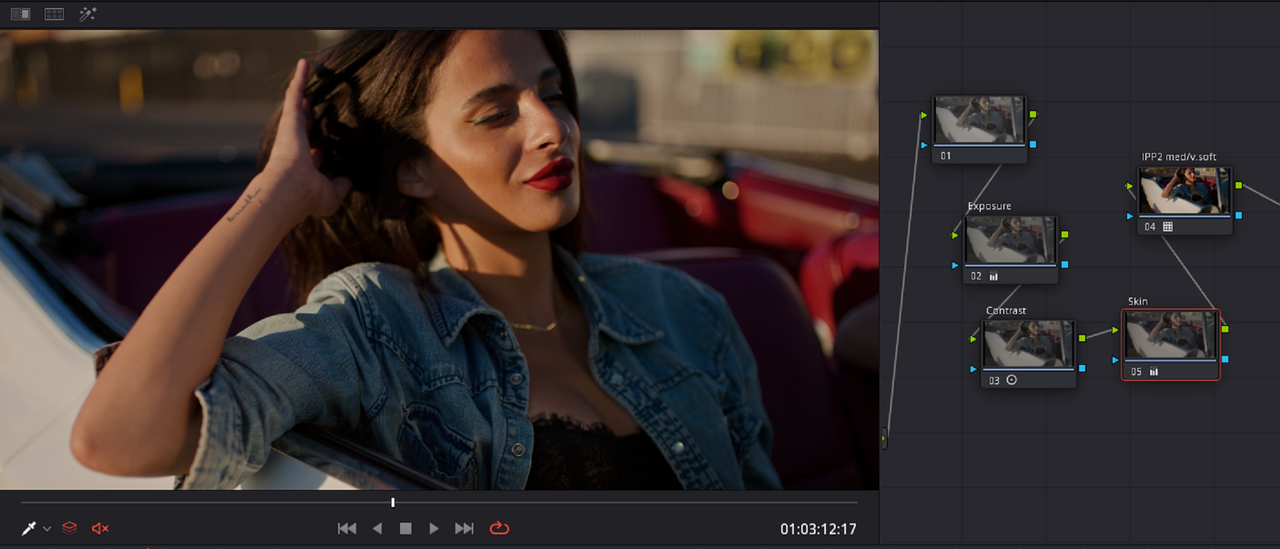
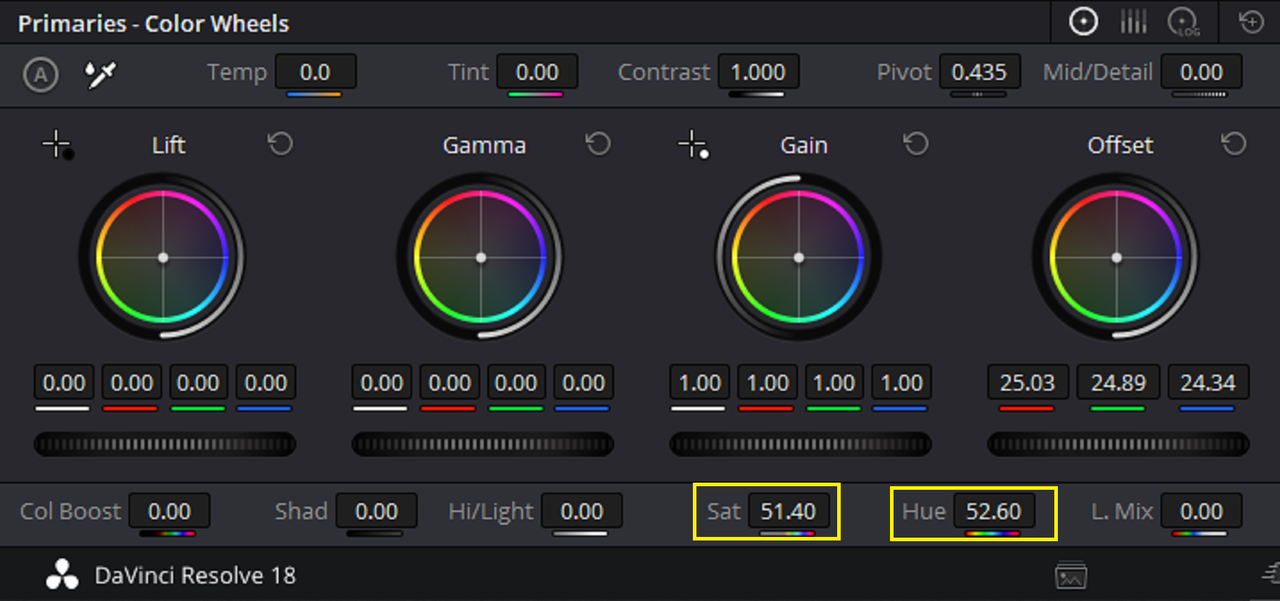
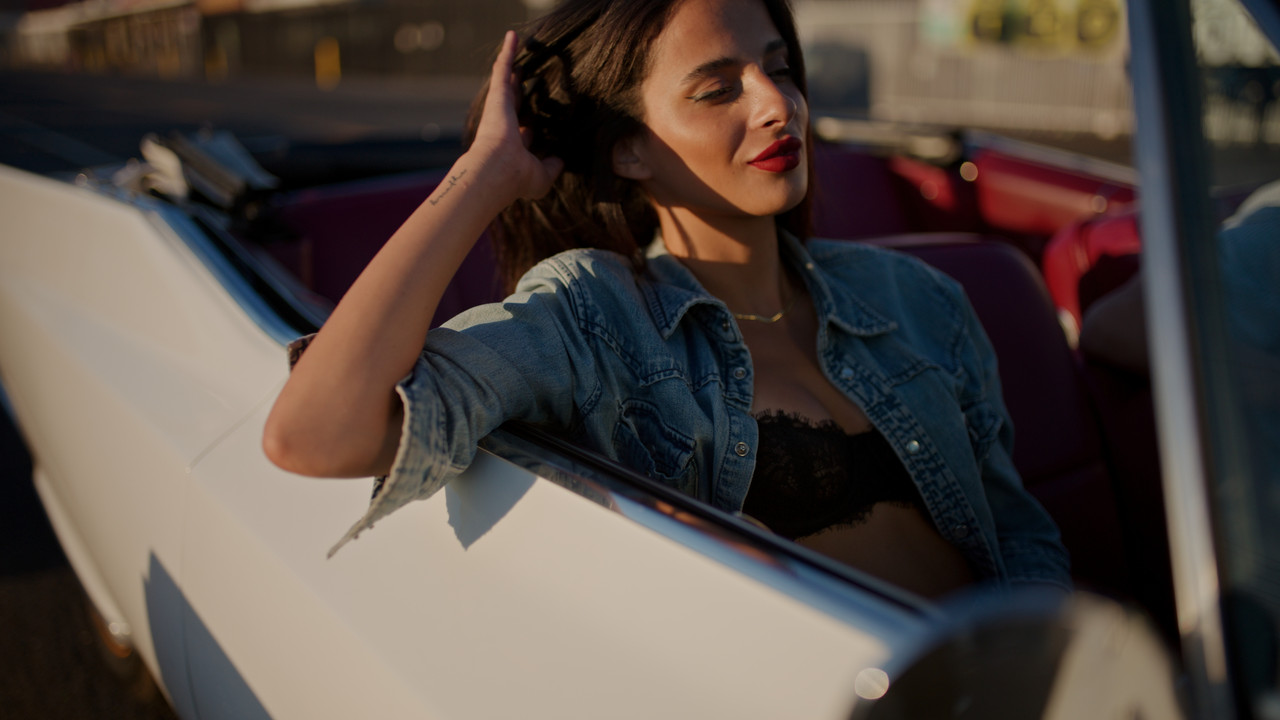
Nick here is a quick example with a "HUE" shift. This is contingent on the rest of the image being reasonably properly white balanced.

link to red sample file used
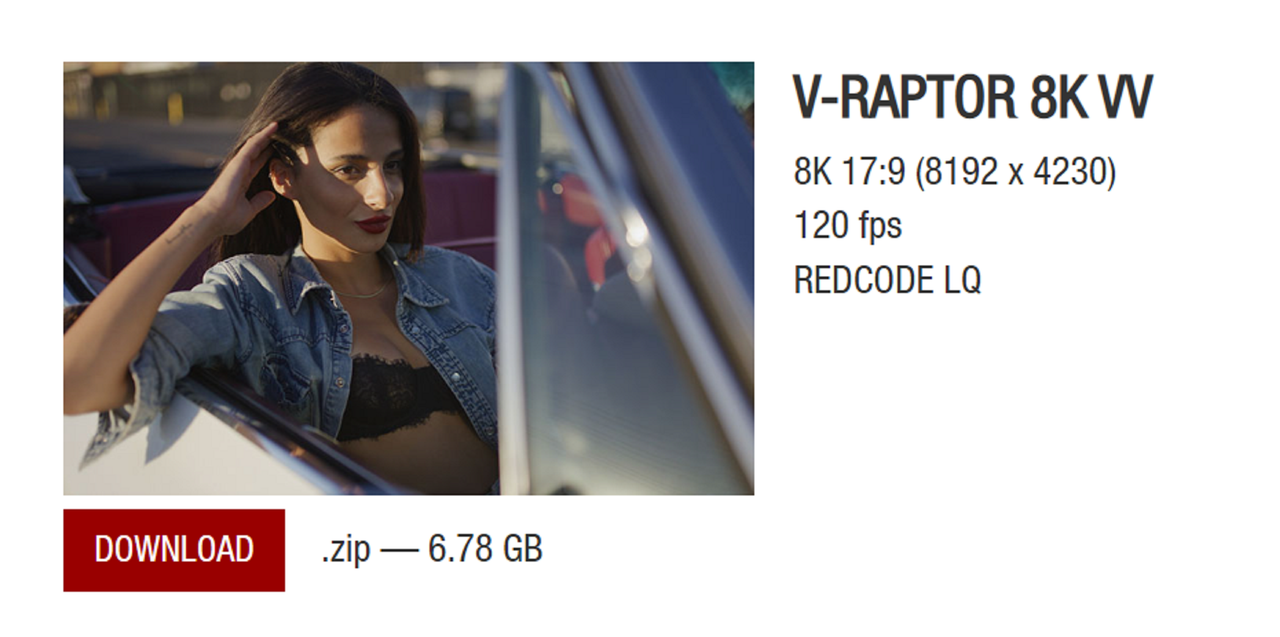
RED Digital Cinema - Sample R3D Files


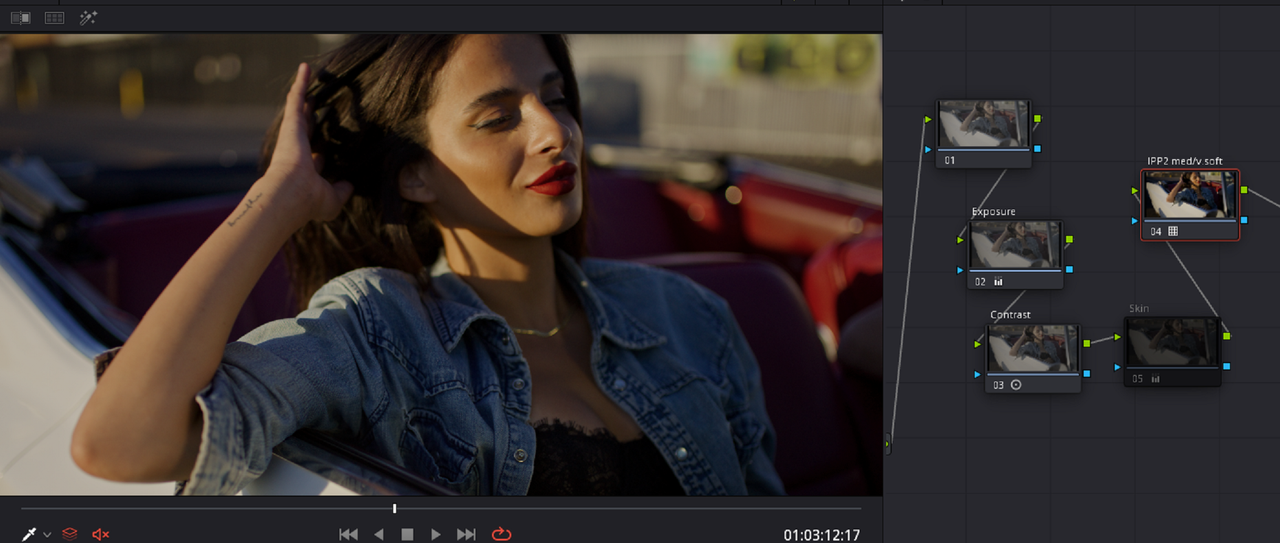
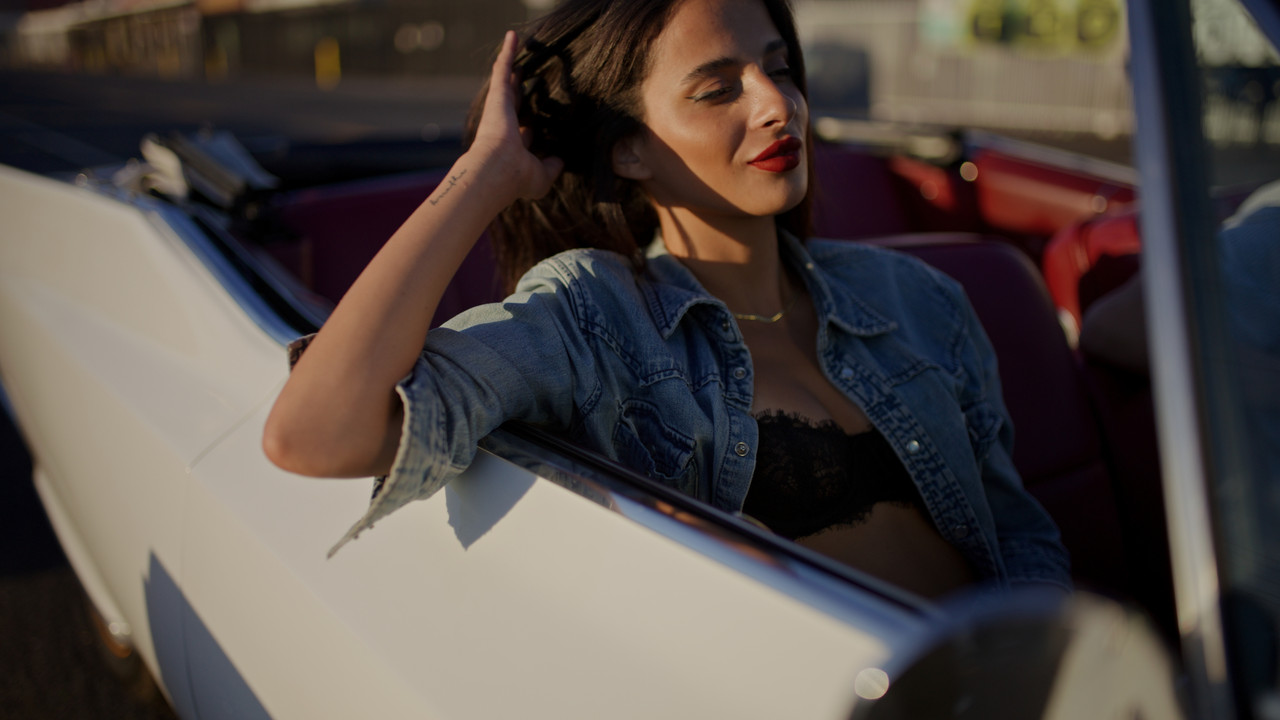
Original Image with IPP2 Medium/Very Soft

1.png


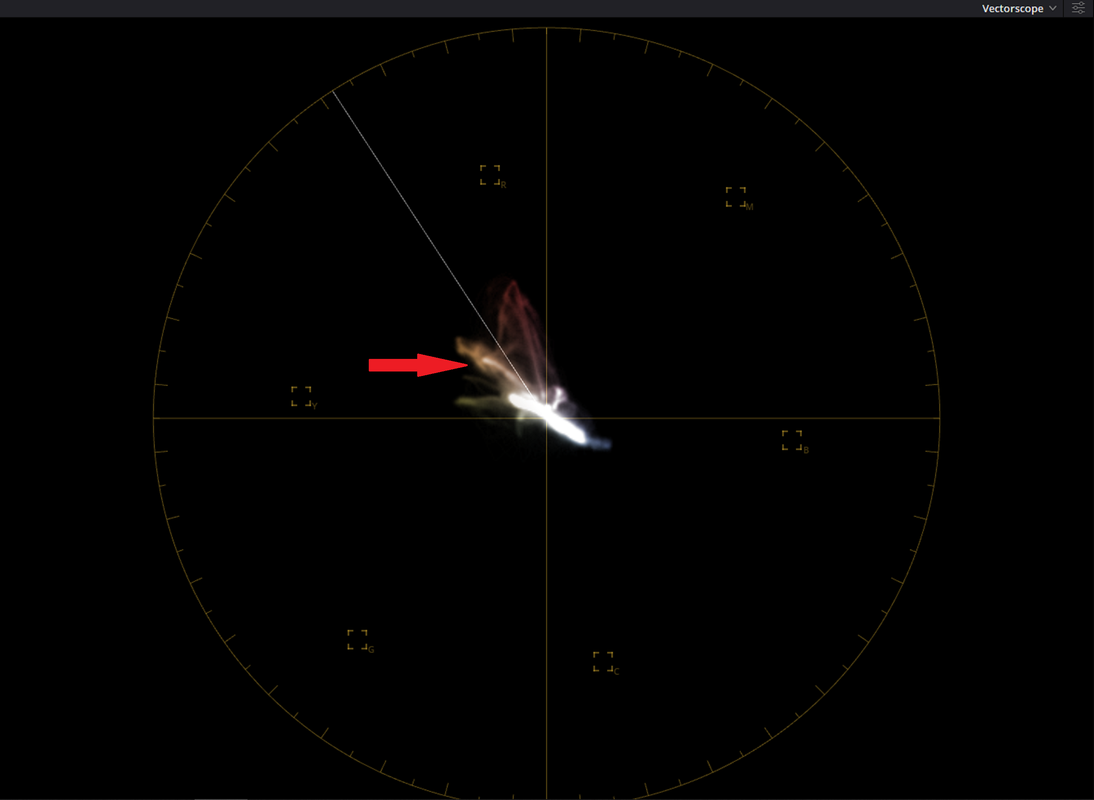
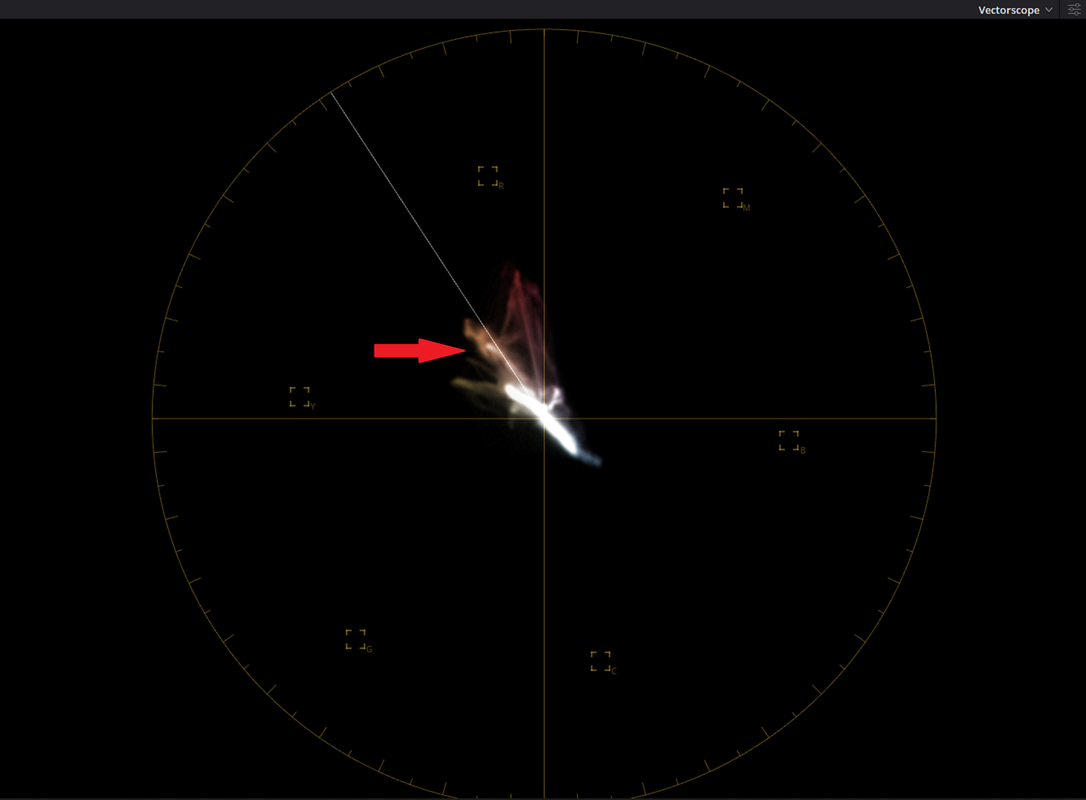
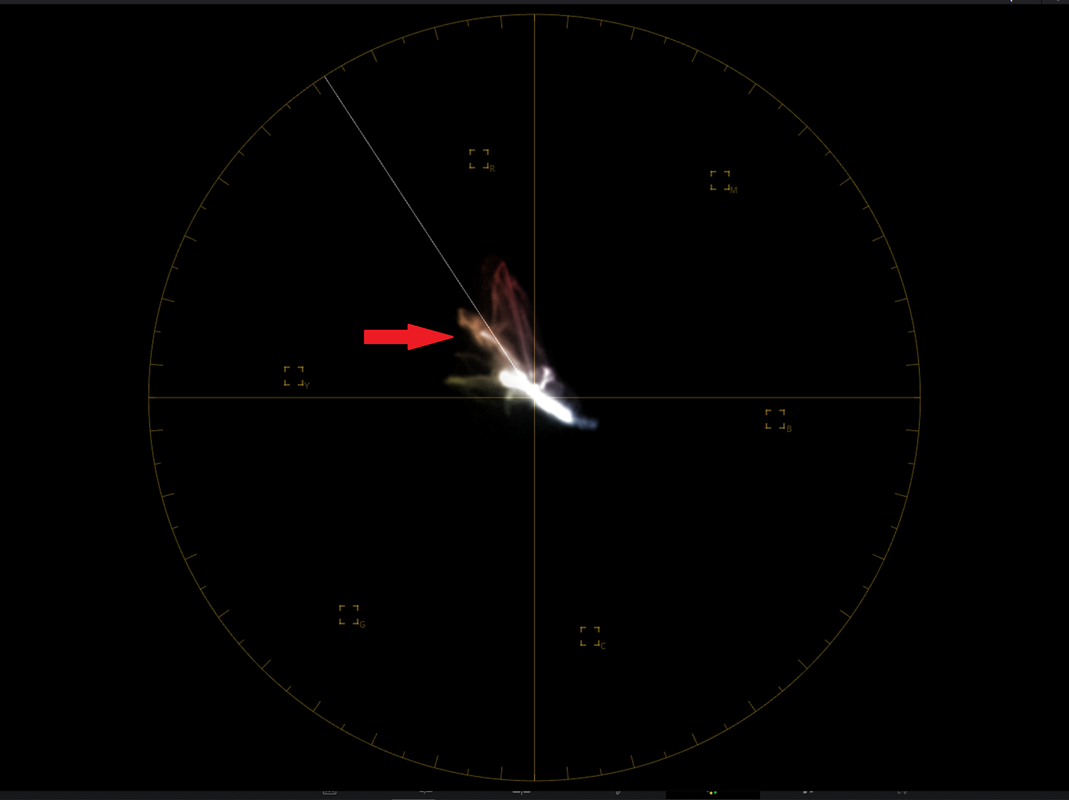
You can tell by looking at the image itself and by looking at the VECTORSCOPE that the Skin tone indicator Color is going to the Left towards YELLOW and away from the SKIN tone Indicator Line.


2.png


3.jpg


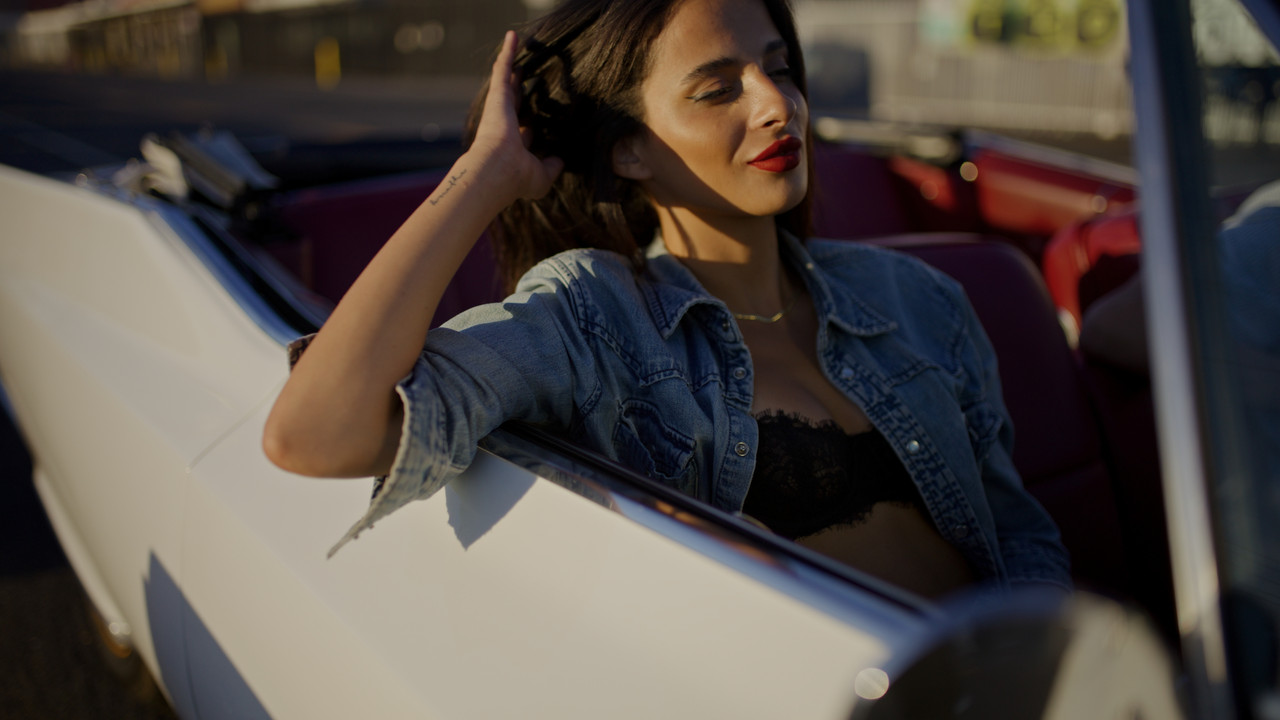
Image after "HUE" Shift

3a.png


4.png


The skin tone indicator color is now perpendicular to the "SKIN tone" line indicator

5.png


6.jpg
 
Thank you! I did notice a more cyan tint on the Alexa35 but the skin tones taking on a more reddish tint rather than the yellow tint on the RED. This can be changed of course through more accurate color grading. I'm definitely not a colorist or color scientist. I do wish out of the box I can get more of that flesh look to skin tones with the Raptor. I mean it's close. I can change the tint to like -2 on camera for skintones, but everything gets too magenta. So if any color scientists with RED are here, if there's any improvement that can be made to Red's log3g10 / RWG in V-Raptor in a future firmware, this would be it. The cyan is definitely not accurate on the Alexa 35 but it does take on more of that film quality. Once again all this can be changed in post, but it would be nice to have these options in camera for productions that don't allow the DP to grade due to quick turnarounds.

A simple shift in the 3x3 matrix (the RGB Mixer in resolve) could do the shift that you would want in the skin tones. You can perhaps get better results with higher-order matrices or other advanced options, just depends. From Red's standpoint it would probably be simple for Graeme to do, but shifting that tone will also shift another tone and so there is a real balancing act that needs to take place, especially when trying to create a general starting point look for an entire camera system. So it might not be something that Red does unless they just decided to update their overall color science i.e. Ipp3, but it's nothing that you couldn't achieve for yourself with your own creative transformation. I've done something similar in my own creative transform, in addition to going a bit further. Feel free to message me if you'd want some more help with this.

To your final points, it does bewilder me that so many on the Hollywood side, don't like red, especially considering they're the only American cinema camera manufacturer and the cameras are just as good as anything else. I'm in The Bahamas, and I've never had to convince clients of anything camera-related all I do is show them my work, it's a much smaller market but I guess that's one real benefit.
 
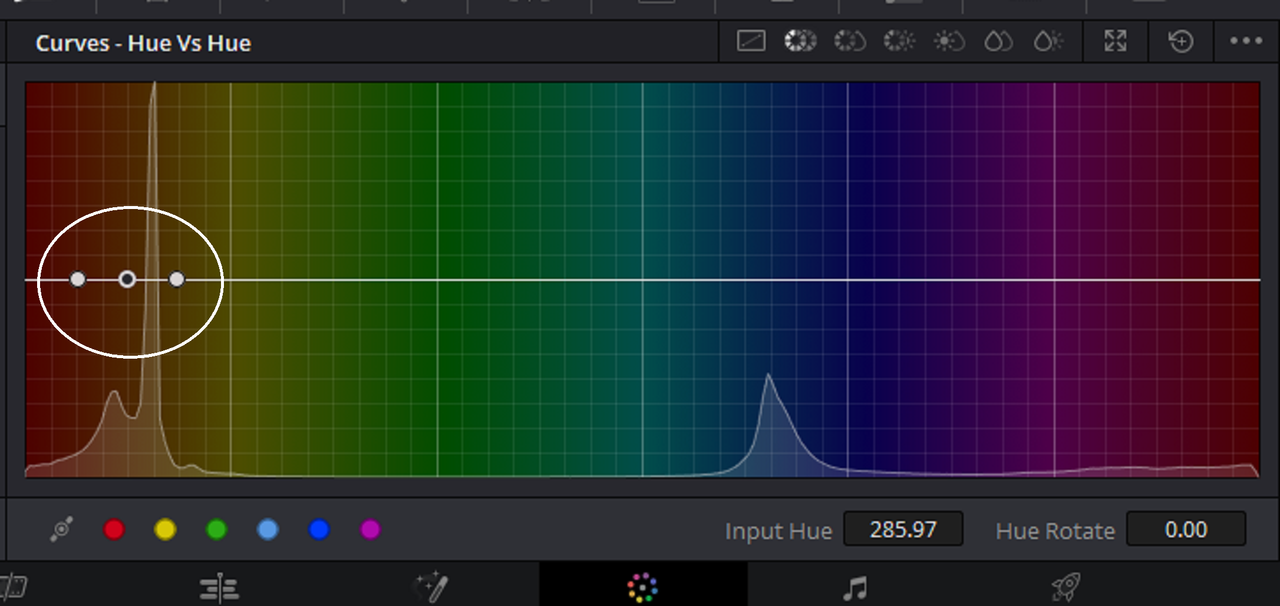
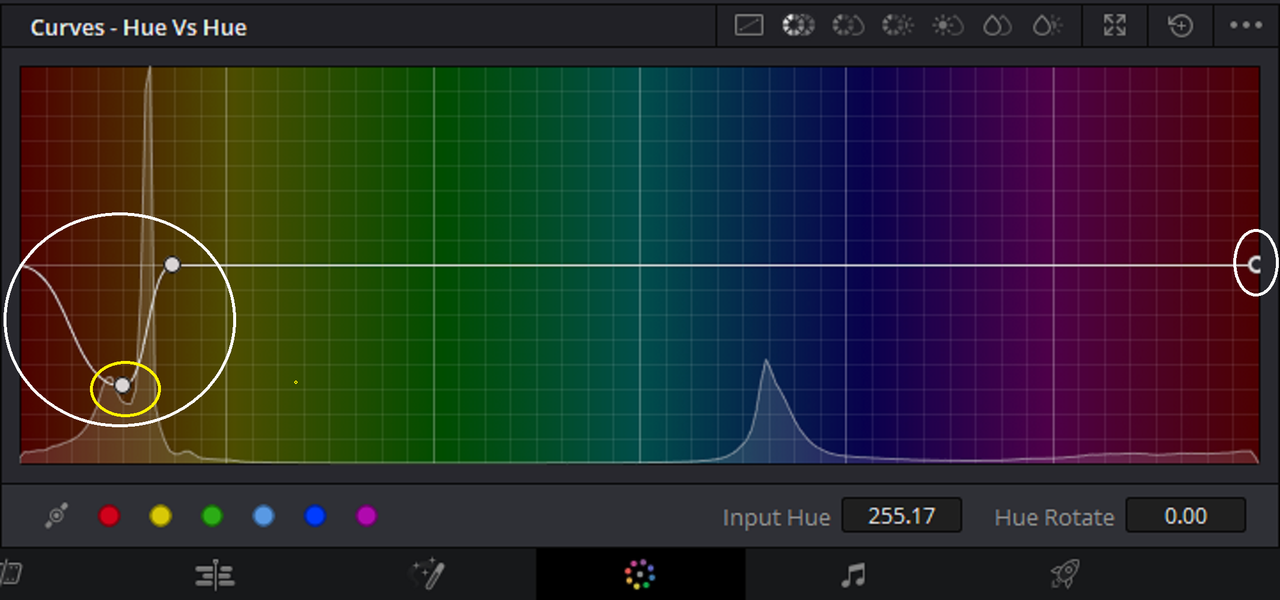
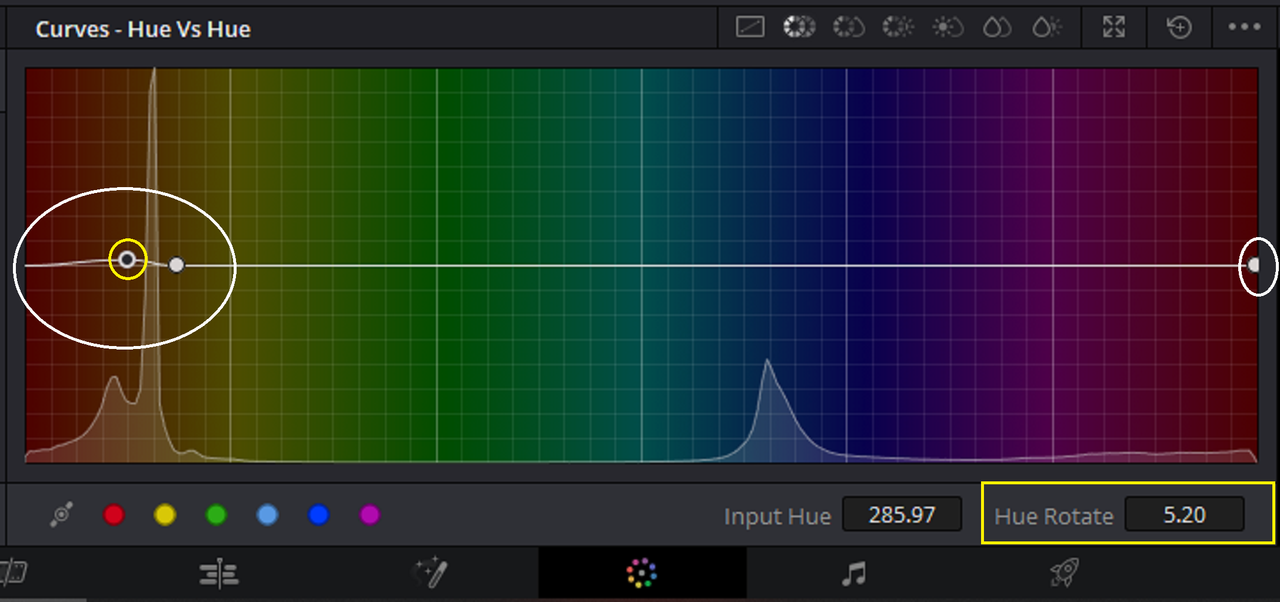
last Thing "HUE vs HUE" correction of yellow in skintone.

I think this way is the most targeted way to correct the skin tone specifically.

Original Image again

3.jpg


2.png


Image skintones corrected with HUE vs HUE curve


3.jpg


If I use the "EYEDROPPER" tool to select the Range of the skintone I want to correct with the HUE vs HUE curve this is what was selected.

3.png


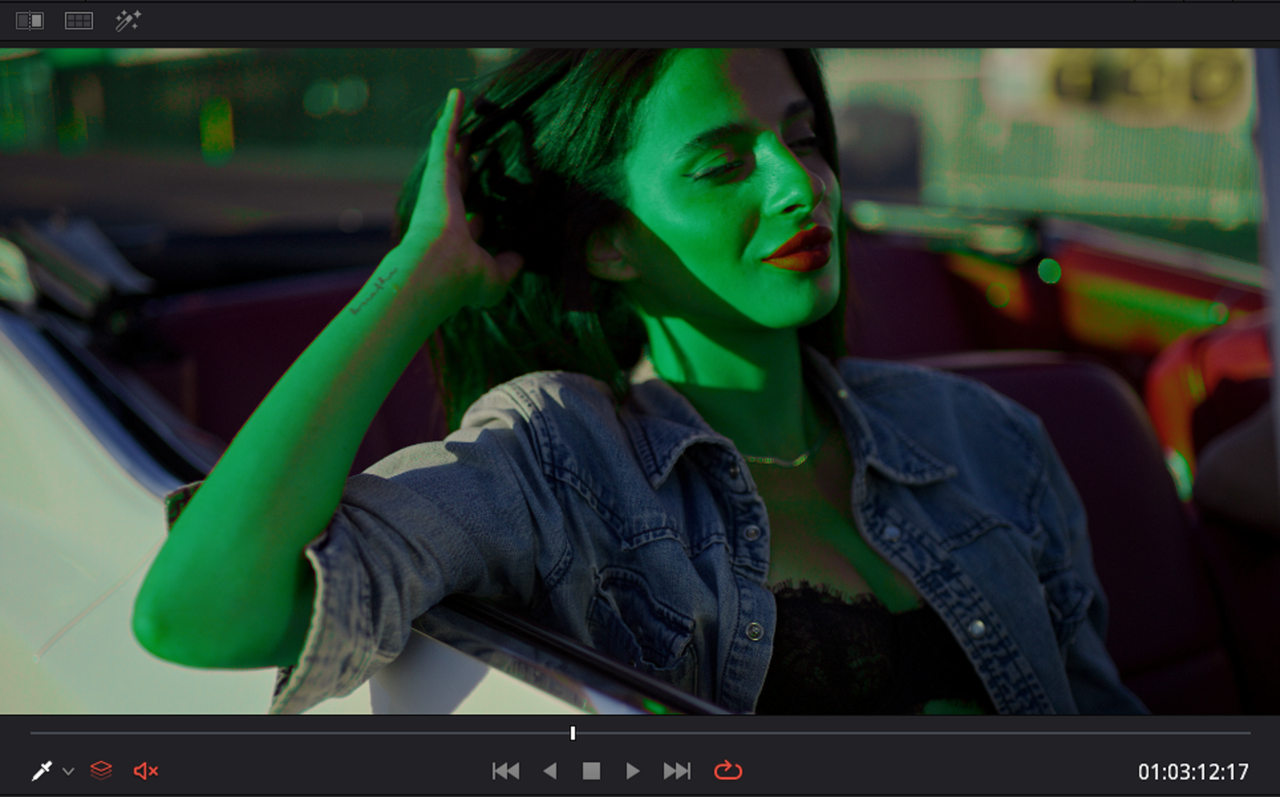
However that range didn't include all of the skintone that I wanted to affect so I had to broaden it out more. I usually take the center point in a negative direction so that I can use the opposite color, in this case Green, to show that the range I want to affect is properly selected.

4.png


5.png


Once satisfied that the proper range has been selected, I then take the "Center Point" into a positive direction until the Vectorscope readings are about the same as the "HUE" shift correction.


6.png


7.png


8.jpg
 
Thanks rand thompson . With some shifting of tint temp and hue, I was able to get it in line more, but the post has been posted. I did post new grades to showcase how drastically different the images can change as well as exteriors.
 
You're welcome Nick. I'll have to set up a Facebook account to see your results, thanks for doing the tests.
 
I really don't know how. Files are bigger than the 2.0MB limit that reduser has. I'm not the most knowledgeable when it comes to the UI on the forum
 
Nick ,

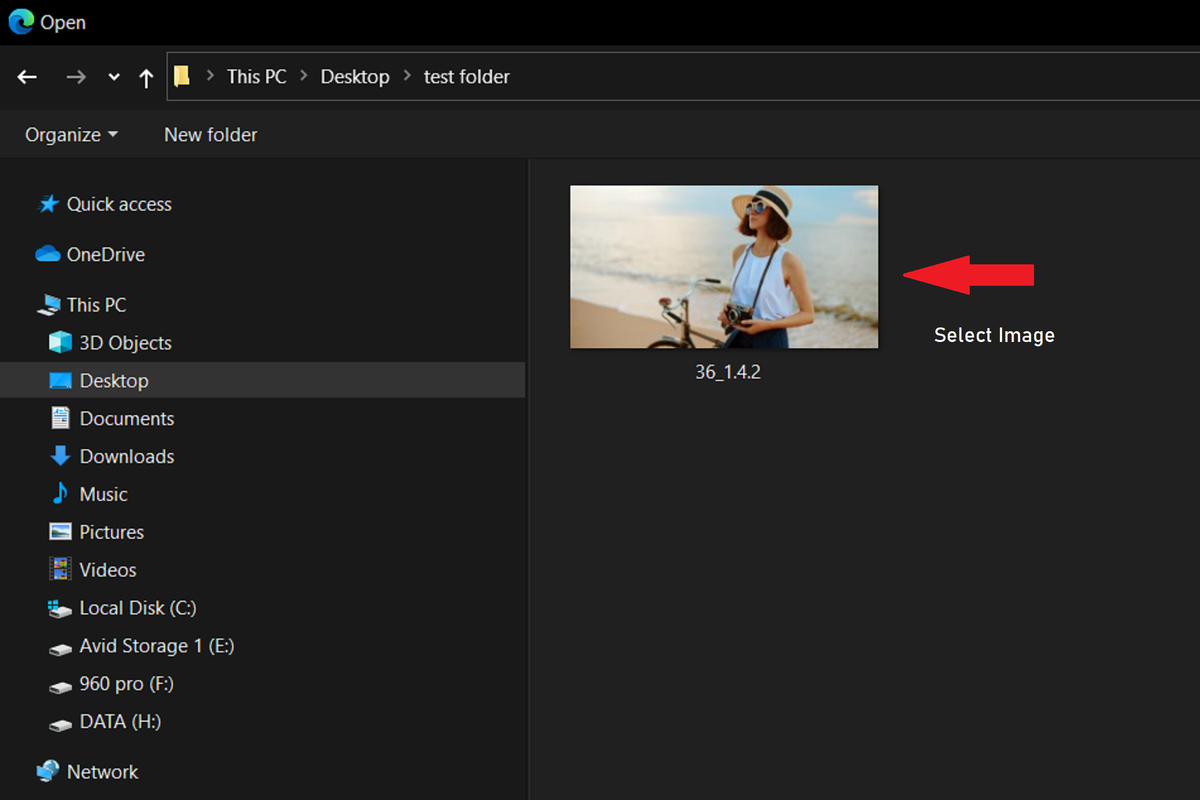
Here is a quick tutorial for posting still images here.


Postimage
https://postimages.org/


Quick Tut

Screenshot-2502.png


Screenshot-2503.png


Screenshot-2504.png


Screenshot-2509.png


Screenshot-2505.png


Screenshot-8408.png


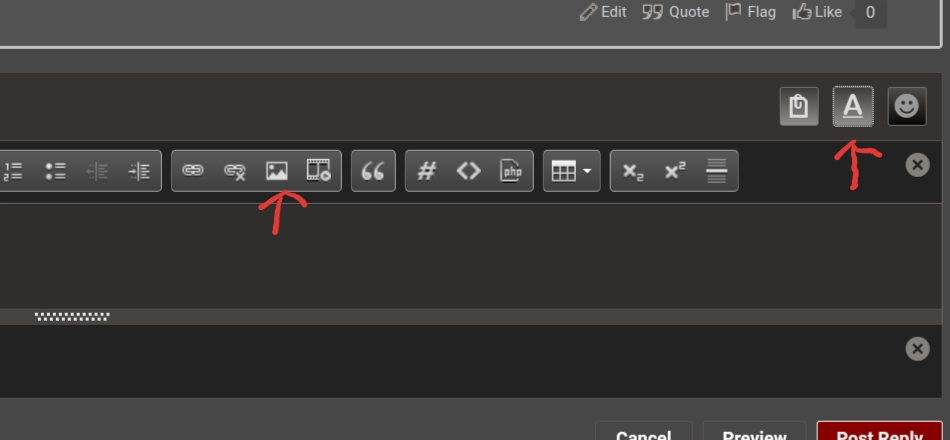
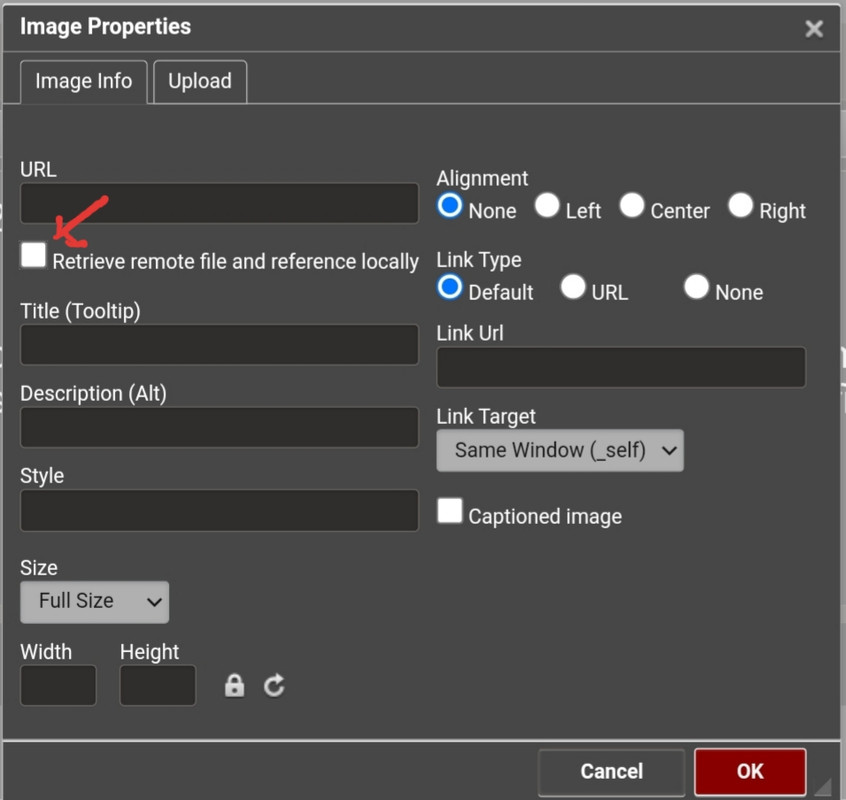
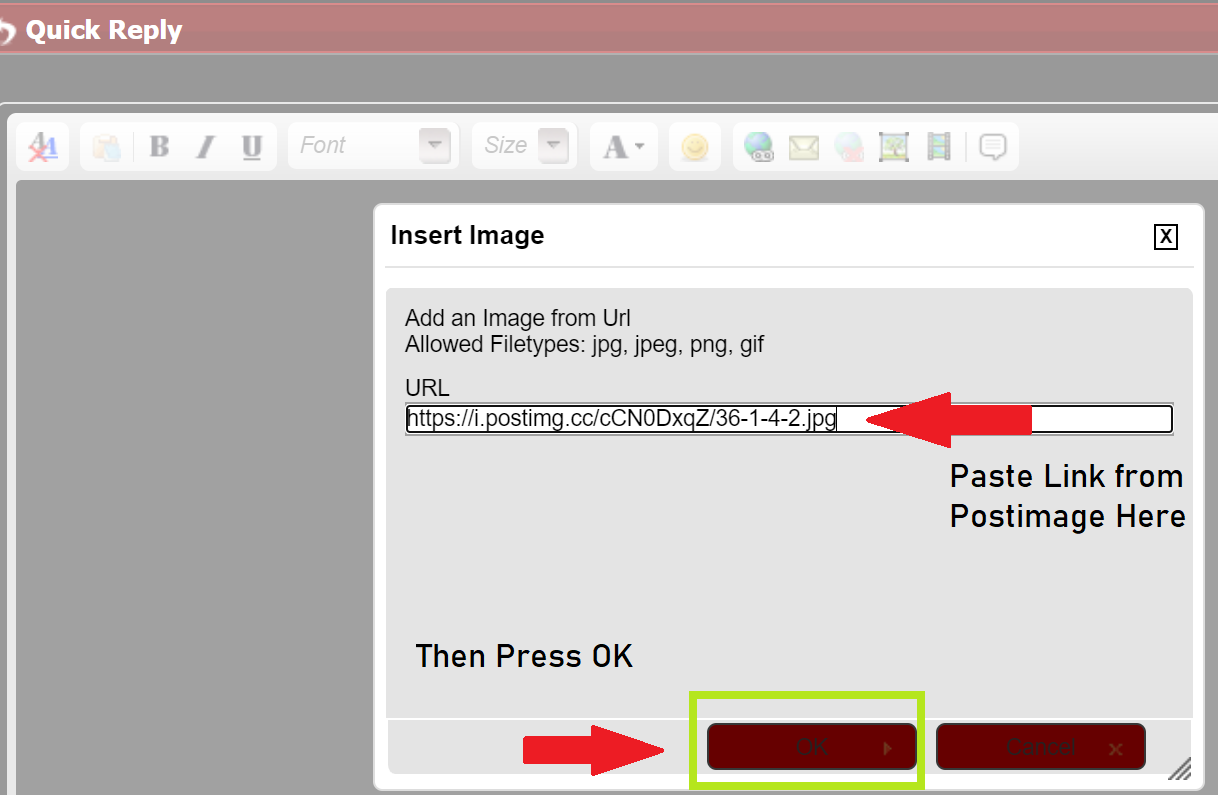
Then on Reduser, use these buttons to upload the image and remember to uncheck the box I mentioned earlier.

20221019-082505.jpg


20221019-081140.jpg


Screenshot-2506.png


Screenshot-2508.png


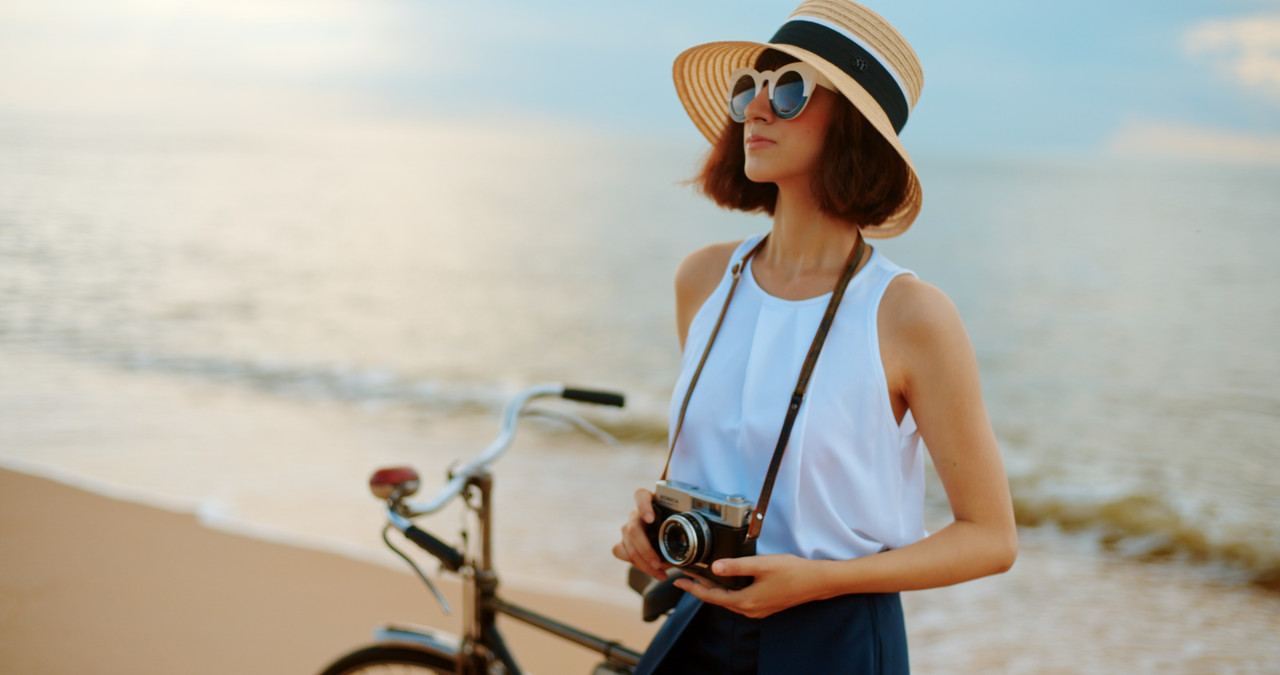
36-1-4-2.jpg
 
Last edited:
For video

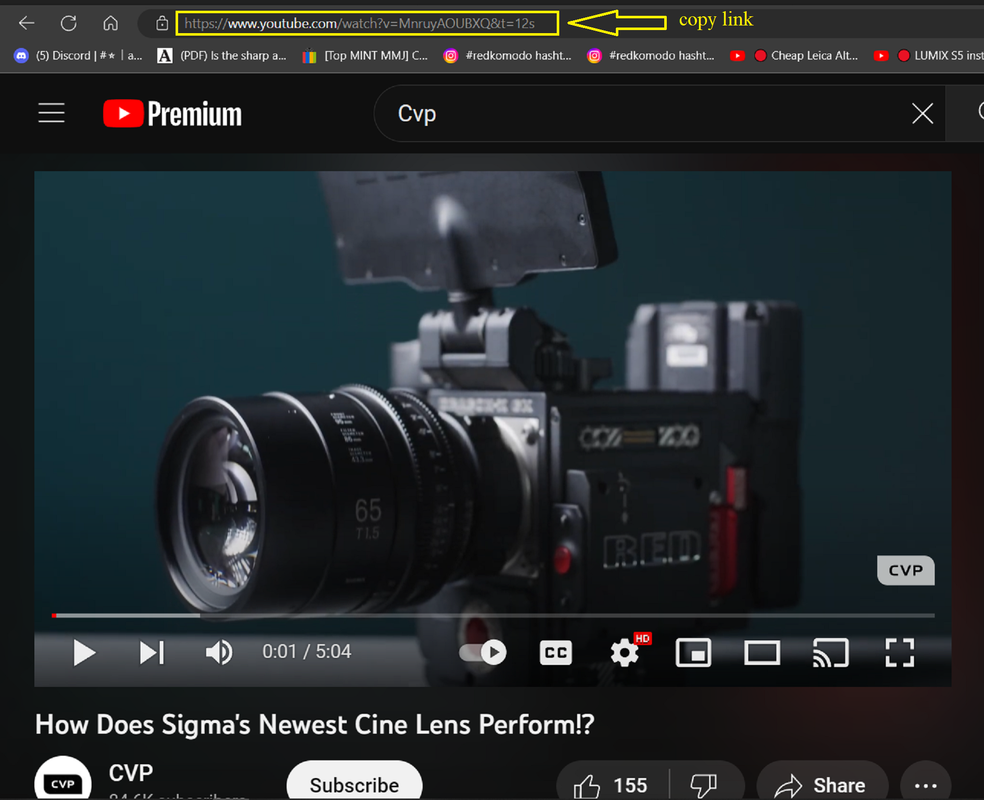
(1) Upload on Youtube, Vimeo videos lately don't play well on the forum.

(2) Copy Youtube Link


Screenshot-8416.png


Screenshot-8410.png

Screenshot-8414.png


Last edited:
https://www.instagram.com/p/Co0wXlDOmhu/

Red log - Rec.709 vs. Custom look.

This is just to showcase how much you can change the image from the factory look to whatever you want.
A good amount of you know this already. I just have had too many clients and even other DPs that still believe cameras have "a look" to them.
Once the 8K youtube link is up, I'll update this!

Thanks for your patience

Link / https://youtu.be/AEs6gTQD-4E
 
Last edited:
Heh. I think there are wild stages to whatever people's mindsets are on things.
- Cameras have a look
- Hey, I can make this look the way I want
- Everything in between

Highly relevant though. Each manufacturer provides their take on Color Science, which is often a combination between technical marks and aesthetics while protecting filmmakers from weird things on the higher end cameras.

But like Nick mentions, you can make them look however you want.

Big show/film workflow often leads to custom LUTs/looks being made either in preproduction, on the day, or in post. That's kept me busy when I'm not filming between getting hired to create specific things or working on philmColor for sure. The occasional rush gig hits my bow when something goes wrong at a post house or with a wild DIT look that needs to be tended to in a hurry. Some of that is gamut related, some just "something has gone wrong" moments.

My next shoot that gets pushed out this year I'm doing some pretty advanced color work on. Very much looking forward to everybody seeing it. We're about halfway through filming and color has been working along the way.

Nobody actually wants pure Rec.709 and shouldn't with these cameras, unless it's a very deliberate choice. But in reality you have a lot more dynamic range now. Perhaps one of the more interesting bits to discuss at a future time is the tone mapping curve's impact on saturation as that seems to cluttered some people's minds on why something looks one way or another. I will say there's a lot of weird practices for pushing out SDR though and some have gotten used to some of those things, whether they know it's something that doesn't render well on the vast landscape of global displays or not. Big topic there as well both on the color delivery and display side.
 
Back
Top